
Portrait & Headshot AI Prompts
Portrait prompts are the most requested kind of AI image prompt, and also the easiest to get subtly wrong.
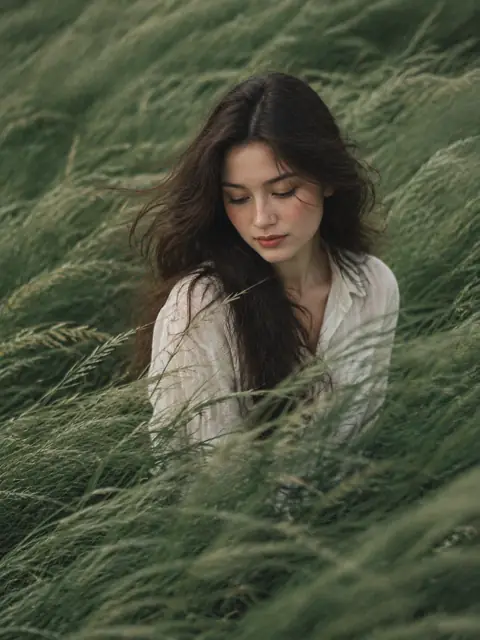
About Portrait & Headshot
Portrait prompts are the most requested kind of AI image prompt, and also the easiest to get subtly wrong. A face that looks plastic, light that comes from nowhere, or a pose that no photographer would ask for is enough to break the illusion. The prompts in this category were picked because they solve those problems in writing: they name a light source and its direction, give the camera a height and a lens, describe skin and fabric texture, and say what the subject is doing with their hands.
You will find several distinct families here. Studio and editorial portraits lean on controlled lighting setups and a clean backdrop. Street and lifestyle prompts borrow the language of documentary photography: flash at night, motion blur, a grainy compact-camera look. Grid prompts ask for a full nine-frame photo shoot in one image, with the same person in different poses, which is a quick way to plan a real shoot or build a social post. A group of prompts is written for a reference photo: you upload a face, and the prompt changes the setting, outfit and mood while keeping the identity.
Every example image on these pages was generated by cinel. Prompts that need a reference were run with a fictional, AI-generated adult, never a real or famous person, and we recommend you do the same unless you have permission to use someone's likeness.
To adapt a portrait prompt, change one thing at a time. Swap the wardrobe or the location first, keep the lighting description intact, and only then experiment with camera angle. Most of these prompts state an aspect ratio; vertical 3:4 or 4:5 suits a single person, while square works for grids. Nano Banana Pro and GPT Image 2.5 hold faces and fine detail well, and Seedream 5 Pro is a strong choice when you want glossy, magazine-style skin.
Questions
Can I use these portrait prompts with my own photo?
Yes. Prompts marked “Needs a reference image” are written for image-to-image: upload your photo in the cinel generator and the prompt restyles the scene while keeping the face. Only upload photos of yourself or people who have agreed to it.
Why does my AI portrait look plastic or over-smoothed?
Usually the prompt does not describe texture or light. Keep phrases about visible skin texture, natural imperfections and a single named light source, and avoid stacking words like “perfect” and “flawless”.
Which model should I start with for portraits?
Start with the first model listed under Recommended models on each prompt page. As a rule of thumb, Nano Banana Pro and GPT Image 2.5 keep faces consistent across edits, and Seedream 5 Pro gives polished commercial skin tones.
Are the people in the example images real?
No. Every example was generated by cinel. Reference-based prompts were run with fictional AI-generated adults created for this library.