Museum-Style Cross-Section Cutaway of Any Product
Details
| Category | Infographics & UI |
|---|---|
| Aspect ratio | 1:1 |
| Input | Text only |
| Example generated with | GPT Image 2.5 |
| Recommended models | GPT Image 2.5, GPT Image 2, Nano Banana Pro |
| Original author | @0x00_Krypt · Original post on X |
| Original model | nanobanana |
Why this prompt works
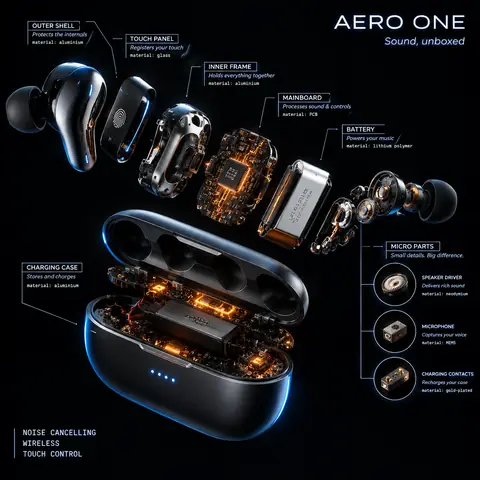
Barely two lines long, this prompt gets a lot from four phrases: 'cross-section cutaway view', 'internal anatomy revealed', 'museum specimen aesthetic' and 'scientific illustration style'. We filled the object slot with a vintage film camera. The result looks like a beautiful catalogue plate: a 35mm SLR sliced open on white, with a pentaprism, mirror, shutter curtains, lens elements and a film canister, each with a thin leader line and a neat label. Our fact-check found the part names are right but the layout isn't physically possible (the film runs along the lens axis, and one label points at empty space), so present results as stylised art, not technical diagrams.
How to adapt it
| Variable | What it changes | Examples |
|---|---|---|
| [object] | what to slice open | a vintage film camera, a mechanical keyboard, a mango |
| museum specimen aesthetic | presentation style | patent drawing, exploded technical render |
| white background | backdrop | black velvet, blueprint paper |
Tips
- Expect accurate part names but not engineering-accurate layouts.
- Simple objects (fruit, shells) cut more convincingly than complex machines.
- Add 'labelled parts' if you want leader lines and names.